
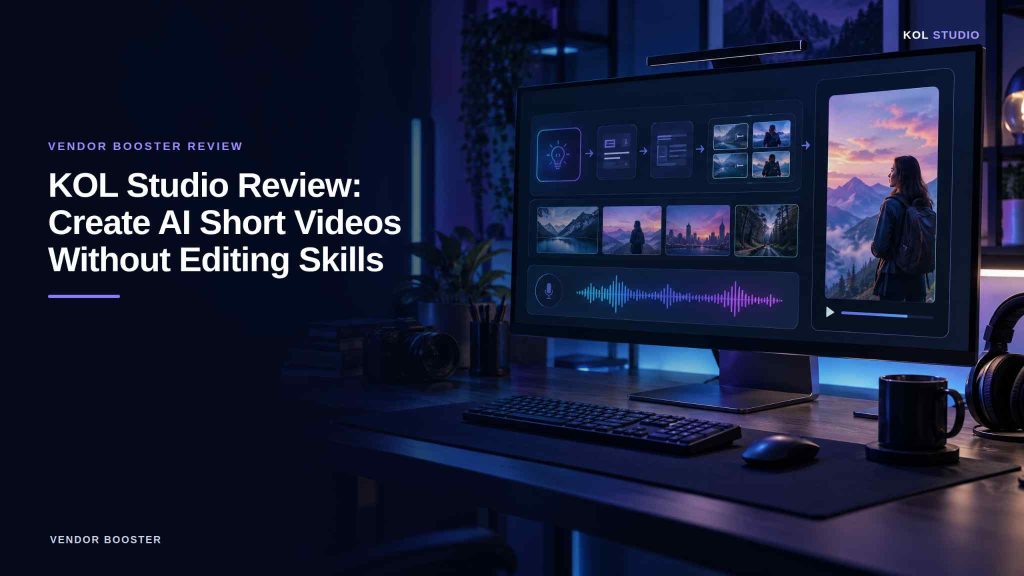
Creating videos for Tiktok, Instagram Reels, and YouTube Shorts can take a lot of time. You need video ideas, scripts, scenes, voiceovers, background music, and editing skills.
But what if you could automate most of these tasks with one Windows application?
In this KOL Studio, we will explore how the software works, its main features, pricing, benefits, limitations, and who should consider buying it.
Whether you are a beginner, content creator, affiliate marketer, or small business owner, this guide will help you understand if KOL Studio is the right tool for your needs.
What Is KOL Studio?
KOL Studio is an AI-powered Windows desktop application designed to automate short-form video creation. It uses Google’s Veo 3 AI video technology to help users turn an idea into a complete video.
Instead of creating every scene manually, you can enter a video idea, select a template, and let the software handle several production steps.
KOL Studio is designed for platforms such as:
- YouTube Shorts
- TikTok
- Instagram Reels
- Facebook Reels
- Product promotion videos
- Educational videos
- Entertainment content
- Affiliate marketing videos
The software can help generate scripts, video scenes, voiceovers, background music, and a merged final video.
Important: KOL Studio is not a completely free, standalone AI video generator. You need compatible external AI services for video generation and script writing.
Key Features of KOL Studio
AI Video Idea Generator
Finding new content ideas every day can be difficult.
KOL Studio includes an AI brainstorming feature that can generate 10 video concepts based on your niche and selected template.
For example, if you work in digital marketing, you can explore ideas about AI tools, SEO tips, online business, and social media marketing.
Choose an idea that fits your audience and move to the next step.
Automatic Script Writing
A good video needs a clear script and a logical flow.
KOL Studio can create a multi-scene script with dialogue, camera angles, lighting instructions, transitions, and visual directions.
This can reduce the time you spend planning each scene.
You should still review the script before generating your video. Check facts, correct mistakes, and make sure the content delivers value to your audience.
Google Veo 3 AI Video Generation
KOL Studio uses Google’s Veo 3 technology to generate cinematic video clips.
According to the official sales page, it can generate clips of around eight seconds per scene, with two variations available for each scene.
You can review the variations and select the clips that work best for your project.
This feature may help creators produce videos without filming everything with a camera.
Actual results depend on the AI service, available usage limits, and the quality of your instructions.
AI Voiceovers in Multiple Languages
Not everyone wants to record their own voice.
KOL Studio supports AI voiceovers in more than 16 languages, according to its sales page. Listed languages include English, Spanish, French, German, Hindi, Bengali, Japanese, and others.
This may be useful if you want to create videos for audiences in different countries.
However, always check pronunciation, voice quality, and the accuracy of the spoken content before publishing.
Automatic Background Music
Music can make a video more engaging and help create the right mood.
KOL Studio can add background music that matches the video style.
Before publishing, review the audio and make sure the music is suitable for your intended use. Check the applicable rights and licensing conditions, especially for commercial videos.
One-Click Video Merging
After generating your scenes, you can choose your preferred variations and merge them into a complete video.
KOL Studio uses FFmpeg to automate the merging process, reducing the need to edit every clip manually in another application.
Vertical and Landscape Video Formats
Different platforms require different video dimensions.
KOL Studio supports two common formats:
- 9:16 vertical: Suitable for TikTok, Instagram Reels, and YouTube Shorts.
- 16:9 landscape: Suitable for standard YouTube videos and other landscape content.
The product page also lists automatic 1080p upscaling.
Always review the exported video before uploading it to ensure that the scenes, audio, and format look correct.
Templates for Different Niches
KOL Studio advertises a library of 71 video templates for different content styles.
Examples include:
- Product reviews
- Product advertisements
- Health tips
- Cartoon videos
- Education
- Travel
- Lifestyle
- Horror and science fiction
- Comedy
- Music videos
- Historical content
- Outdoor adventures
The Starter license includes five templates of your choice, according to the sales page. Additional templates require an upgrade.
Templates can give your videos a consistent visual style without requiring you to design every scene from scratch.
How Does KOL Studio Work?
The software follows a simple workflow.
Enter Your Video Idea
Write one or two sentences describing the video you want to create.
For example, you might enter an idea for a short video explaining the benefits of an AI writing tool.
Select a Template
Choose a template that matches your topic and the type of video you want to produce.
Upload or Generate a Character
Depending on your project, you can upload a suitable character or product image, or use the AI character generation feature.
Generate Content Ideas
Use the AI brainstorming feature to explore possible concepts. Choose the idea that best matches your goal.
Create the Video Scenes
The software generates a script and works with the connected AI video service to create scene variations.
Select and Merge Your Scenes
Review the generated clips, select your preferred versions, and merge them into one video.
Export and Publish
Export the finished video in the format you need. Review the final result before uploading it to your preferred platform.
The official page estimates that a short video may take around 5–15 minutes, although actual generation time can vary.
KOL Studio Pricing: How Much Does It Cost?
The official sales page currently advertises a launch price of $17 for the Starter license.
The listed offer includes:
- One-year access
- One PC
- Five templates of your choice
- AI-assisted video creation workflow
- Automatic voiceovers and music
- 1080p upscaling
- Vertical and landscape exports
- Updates for 12 months
- Email support
The sales page also advertises a 30-day money-back guarantee.
These details are based on the advertised offer and may change. Check the official page for the latest terms before purchasing.
Are There Any Additional Costs?
Yes. This is one of the most important things to understand before buying.
The KOL Studio license does not cover every external service required to generate videos.
Google AI service: The sales page specifies a compatible Google AI Pro or Ultra subscription for its Veo 3 workflow. Check the current plan requirements and usage limits.
AI script-writing service: You need a supported option, such as OpenRouter or the Google Gemini API, for script writing and brainstorming. Usage may incur separate charges.
Your total cost therefore depends on your selected software license and the external services you use.
KOL Studio advertises no recurring software subscription charge for the Starter license during its 12-month access period. This does not mean that the required AI services are free.
Pros and Cons of KOL Studio
Before purchasing any AI tool, consider both its advantages and limitations.
Pros
- Automates several video production steps.
- Helps generate ideas and scripts.
- Offers templates for different niches.
- Supports AI voiceovers in multiple languages.
- Adds background music automatically.
- Merges selected video scenes.
- Supports vertical and landscape formats.
- Can reduce the need for manual editing.
Cons
- Requires a Windows 10 or Windows 11 64-bit computer.
- Needs external AI services for video generation.
- Script writing requires a supported AI service.
- Additional usage costs may apply.
- Video quality and generation time can vary.
- The Starter license includes only five selected templates.
- AI-generated content still needs human review.
Mac users should note that the sales page lists Windows support only, with a Mac version on the development roadmap.
Who Should Use KOL Studio?
YouTube Shorts Creators
If you regularly publish short videos, KOL Studio may help reduce the time spent on scripting, scene creation, and merging.
You can use it to explore educational content, storytelling, travel videos, and other suitable formats.
Affiliate Marketers
Affiliate marketers can create short product explainers, software demonstrations, and promotional videos.
For example, you could create a video explaining how an AI writing tool works and direct interested viewers to a detailed review on your website.
Make sure your claims are accurate and disclose affiliate relationships clearly.
Small Business Owners
Small businesses can use AI videos to introduce products, explain services, and create social media content.
However, review every video to ensure it represents your business accurately.
Social Media Managers
People who manage several social media accounts may benefit from a repeatable video production process.
Templates and automation can help organize production, but every video should still fit the target audience and platform.
Beginners With Limited Editing Skills
KOL Studio is designed to automate several technical tasks. This may help beginners who do not want to learn a complex video editor immediately.
However, setting up the required AI services still takes some learning.
Can You Make Money With KOL Studio?
KOL Studio can help you create video content, but buying the software does not guarantee income.
Here are a few ways to use AI videos as part of an online business.
Affiliate marketing: Create helpful product videos and send viewers to your website or affiliate offer.
Video creation services: Produce short videos for clients if you can meet their quality requirements.
Social media marketing: Help businesses explain products and services through short-form video.
Content publishing: Build a channel around a useful topic and explore eligible monetization options.
Your results depend on content quality, audience interest, marketing strategy, and platform policies. Viral reach and earnings are never guaranteed.
Is KOL Studio Worth It?
KOL Studio may be worth considering if you regularly create short-form videos and want to automate several production tasks.
Its idea generation, script writing, video scene generation, voiceovers, music, and automatic merging can simplify the workflow.
However, the additional AI service requirements are important. You should calculate the full cost before buying and check whether the included templates match your needs.
If you only want to create an occasional video for free, compare other options first.
Our verdict: KOL Studio is a tool worth exploring for creators who want a more automated approach to short-form video production. Its value depends on how often you create videos, the quality you need, and the cost of your external AI services.
Frequently Asked Questions
What is KOL Studio?
KOL Studio is a Windows desktop application that helps automate short-form video creation using AI tools, templates, voiceovers, music, and video merging.
Is KOL Studio free?
No. The official sales page advertises a paid Starter license. External AI services may also have separate costs.
Does KOL Studio work on Mac?
The listed version supports Windows 10 and Windows 11, 64-bit. Check the official page for updates to platform support.
Do I need video editing skills?
The software automates several editing tasks, so advanced editing skills may not be necessary. You will still need to review the scenes and final video.
Does KOL Studio require a Google AI subscription?
The official sales page specifies a compatible Google AI Pro or Ultra subscription for its Veo 3 workflow. Review Google’s current requirements before purchasing.
How many templates are included?
The advertised Starter license allows you to choose five templates from the larger collection. Additional templates are available through upgrades.
Can I use KOL Studio for affiliate marketing?
Yes, you can use AI-generated videos to explain products and promote relevant offers. Follow your affiliate program’s rules and clearly disclose affiliate links.
Does KOL Studio guarantee viral videos?
No. No AI tool can guarantee viral views, sales, or income. Results depend on content quality, audience interest, and distribution.
Final Thoughts
KOL Studio brings several short-form video production tasks into one Windows application. It may help creators save time on ideas, scripts, video scenes, voiceovers, and merging.
Before purchasing, review the latest license terms, template limits, external AI service requirements, and total costs.
If the workflow fits your needs, visit the official product page to watch the demonstration and explore the current offer.
Ready to Explore KOL Studio?
Visit the official page to see how it works and review the latest pricing.
Check KOL Studio Here — INSERT YOUR AFFILIATE LINK